
Advanced Features
Since v2.0.0Anonymization
Configure one anonymization policy in Settings → Privacy and reuse it for exports, imports, the AI assistant and the MCP server. Masking runs entirely on your machine, and masked values are never written back to Firestore.
What it is
Real Firestore documents contain data you would rather not paste into a ticket, hand to a colleague, or send to a model provider. Fuego can anonymize documents on the fly, on your machine, so you can share the shape of your data without sharing the values.
The policy is defined once in Settings → Privacy and reused everywhere data leaves its original context:
- The explorer — toggle Anonymize documents in the toolbar to browse a masked view of the collection you are looking at
- Export and import — produce a shareable dataset with the personal data masked
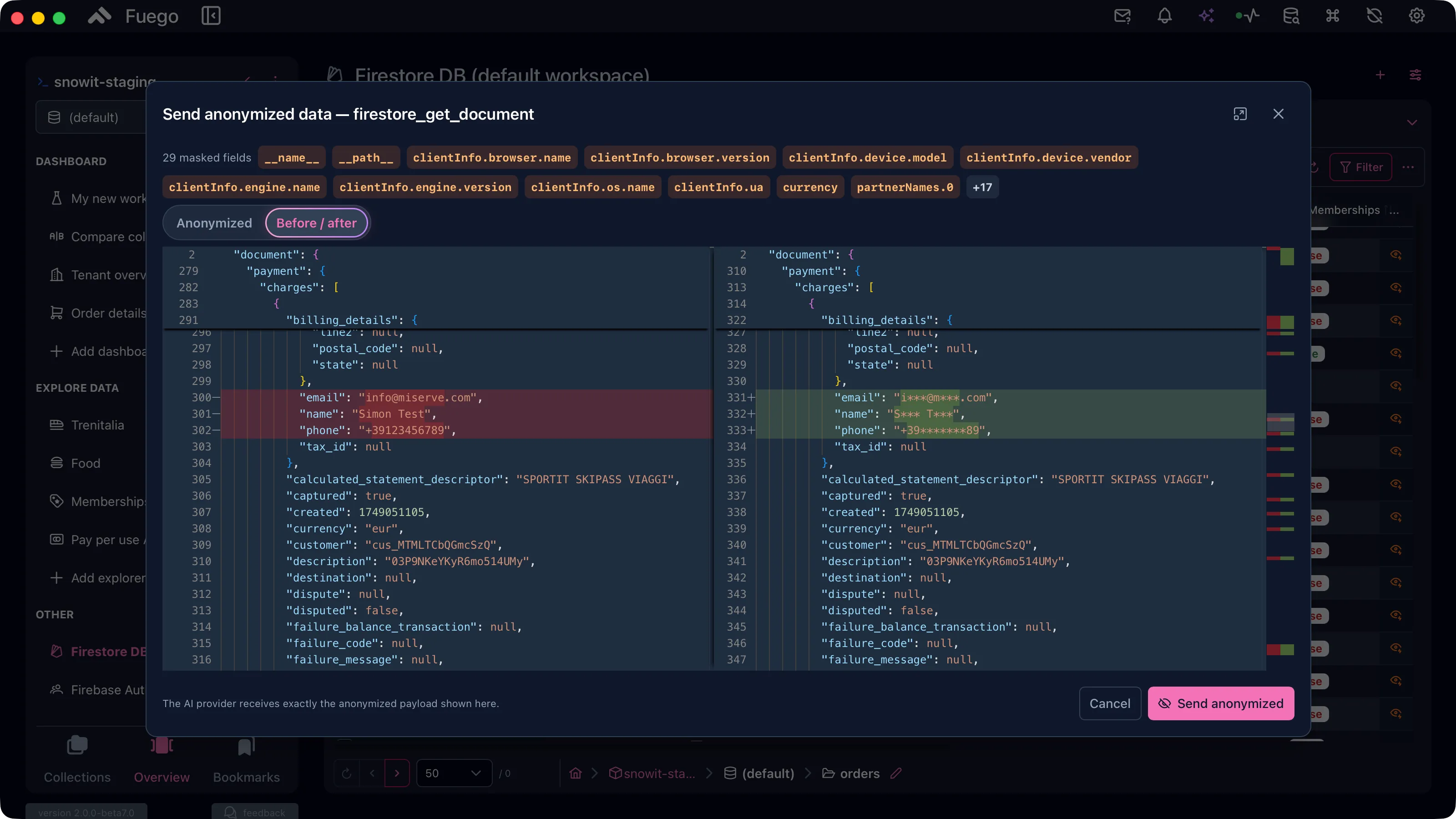
- The AI assistant — review what would be sent to the provider and choose Send anonymized instead of the real documents
- The MCP server — mask every document returned to a connected agent
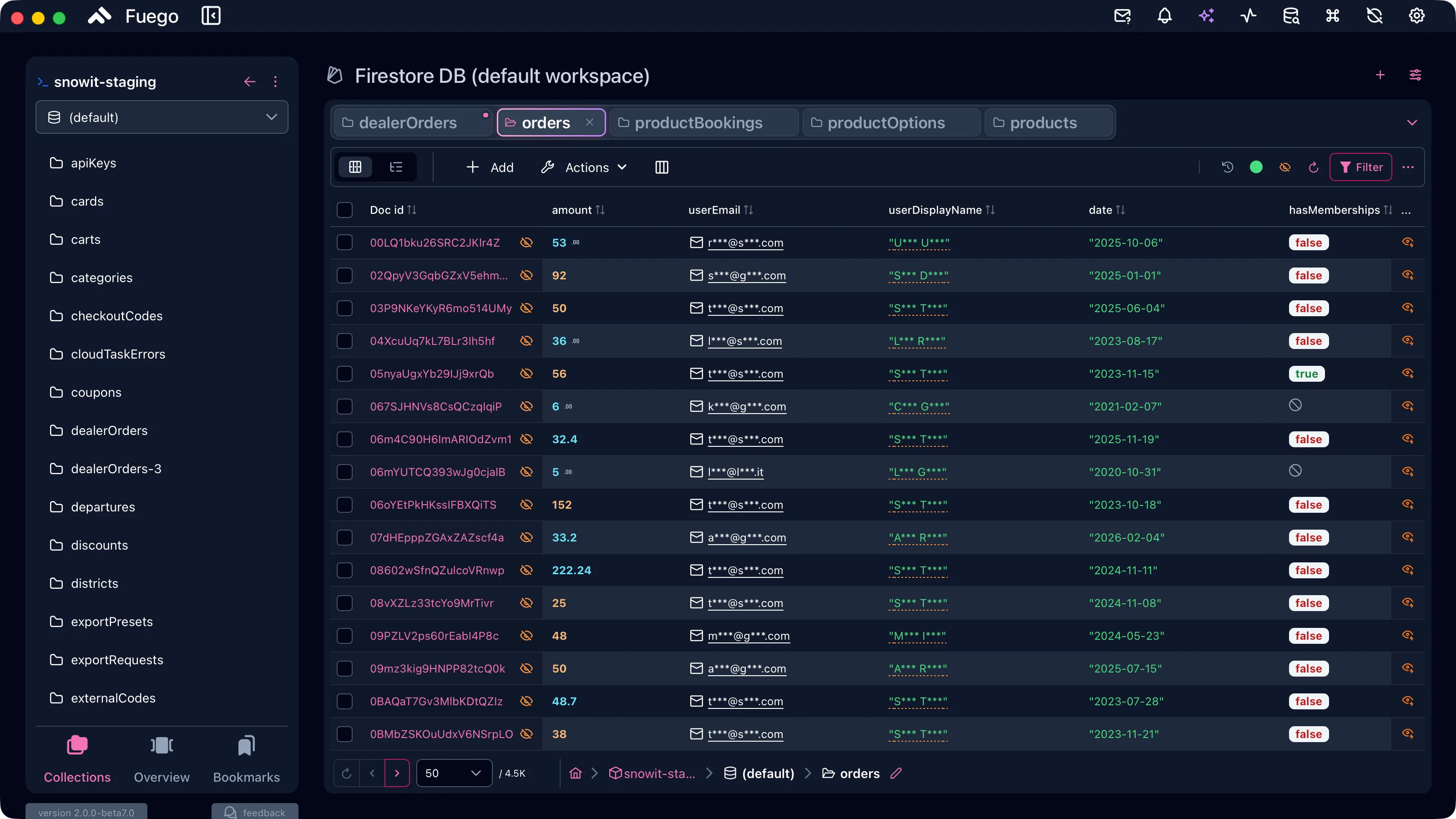
Anonymized documents are read-only display copies. Masked values are never written back to Firestore, and an anonymized document cannot be edited until you load the real data.
Masking methods
| Method | Example output | When to use it |
|---|---|---|
| Shape-preserving mask | m***@g***.com | The default. Keeps type and rough shape, so documents stay readable. |
| Generic placeholders | [EMAIL], [PHONE] | Unmistakably fake. Documents lose their shape. |
| Realistic fake data | ada@example.com | Demos and screenshots. Deterministic, so the same input always yields the same fake value and joins between documents survive. |
| Deterministic hash | email_3f9ac2d41b | Unreadable but correlatable: equal inputs map to equal tokens across documents. |
Realistic fake data can be mistaken for real data. Use placeholders or a hash when the reader must not be in any doubt.
Detectors
Values are found by a set of detectors you can switch on and off individually:
- Email addresses inside string values
- Phone numbers — international (
+…/00…) and separator-formatted national numbers - IP addresses — IPv4 and IPv6
- Credit cards — 13 to 19 digit numbers that pass the Luhn checksum
- Field names — masks the whole value of conventional PII field names
(
email,phone,firstName,address,ssn, …)
Two lists let you adapt the policy to your own data model:
- Custom field names — additional field names to mask. Matched on the last path segment, case and underscore insensitive.
- Excluded collections — collections that are never anonymized. A bare name
matches the collection ID anywhere; a path pattern such as
users/*/ordersmatches per segment.
On-device AI detection (NER)
Regular expressions cannot catch a person, a company or a place written in free text. For that, Fuego can run a local named-entity recognition model on the ONNX runtime.
- It runs fully offline — nothing leaves your machine
- The model is downloaded on demand from Settings → Privacy
- It is considerably slower than the built-in detectors: masking a large set of documents takes noticeably longer while it is enabled
Turn it on when the fields you care about are prose, and leave it off when the built-in detectors already cover your data.
Using it with the AI assistant and MCP
Anonymization composes with the AI access rules rather than replacing them:
- When the assistant is about to send real data to the provider, the egress confirmation shows the exact payload with an Anonymized tab. Send anonymized forwards the masked version, and the provider receives exactly what you saw.
- In Settings → AI → MCP Server, Anonymize tool results masks the documents every connected client receives. Clients can request masking per call, but they can never disable it.