
Point-in-Time Recovery in Firestore: Visual Restore with Fuego
Explore Firestore's Point-in-Time Recovery (PITR) and see how Fuego enables you to navigate document history, view diffs, and restore data visually with ease.
Firestore Point-in-Time Recovery Made Easy with Fuego
When dealing with critical production data, the ability to recover from mistakes—like accidental deletions or unwanted overwrites—is essential. Firestore’s Point-in-Time Recovery (PITR) feature provides this capability by allowing you to restore data to a specific moment in the past. But while powerful, using PITR effectively from the Firebase CLI or Console comes with several limitations.
In this post, we’ll walk through:
- How PITR works in Firestore and its limitations
- How Fuego makes it significantly easier to inspect and restore data across time
🔍 What is Firestore Point-in-Time Recovery?
PITR lets you recover data by reading the state of your Firestore documents as they were at a specific timestamp within the last 7 days. Firestore keeps one version per minute of each document during this retention period (official documentation), making it possible to:
- View document versions over time
- Restore deleted or overwritten data
- Investigate changes and their impact
However, there are important constraints:
-
PITR is disabled by default, when enabled, it incurs additional storage costs
-
You must manage timestamps and read times manually via the API or Firebase CLI
-
The Firebase Console offers no UI to navigate historical document states
-
When PITR is enabled, the retention window is 7 days and Firestore keeps a single version per minute: reads older than one hour must use a whole-minute timestamp. Right after you enable PITR, the earliest readable version is one hour before you enabled it, and the window grows to the full 7 days over the following week.
-
When PITR is disabled, you can only read data from the past hour.
-
Whether PITR is enabled or not, you can read (but not export) documents at any microsecond-granularity timestamp within the past hour.
-
If a document is written several times within the same minute, only the last version of that minute is retained: a read at the whole-minute timestamp that closes the minute returns the last write.
🔧 How Fuego Simplifies PITR
Fuego provides a complete graphical interface for working with PITR in Firestore. Whether you’re restoring a single document or reviewing the state of your entire database at a specific time, Fuego streamlines the entire process.
1. Restore Individual Documents with Visual Diff
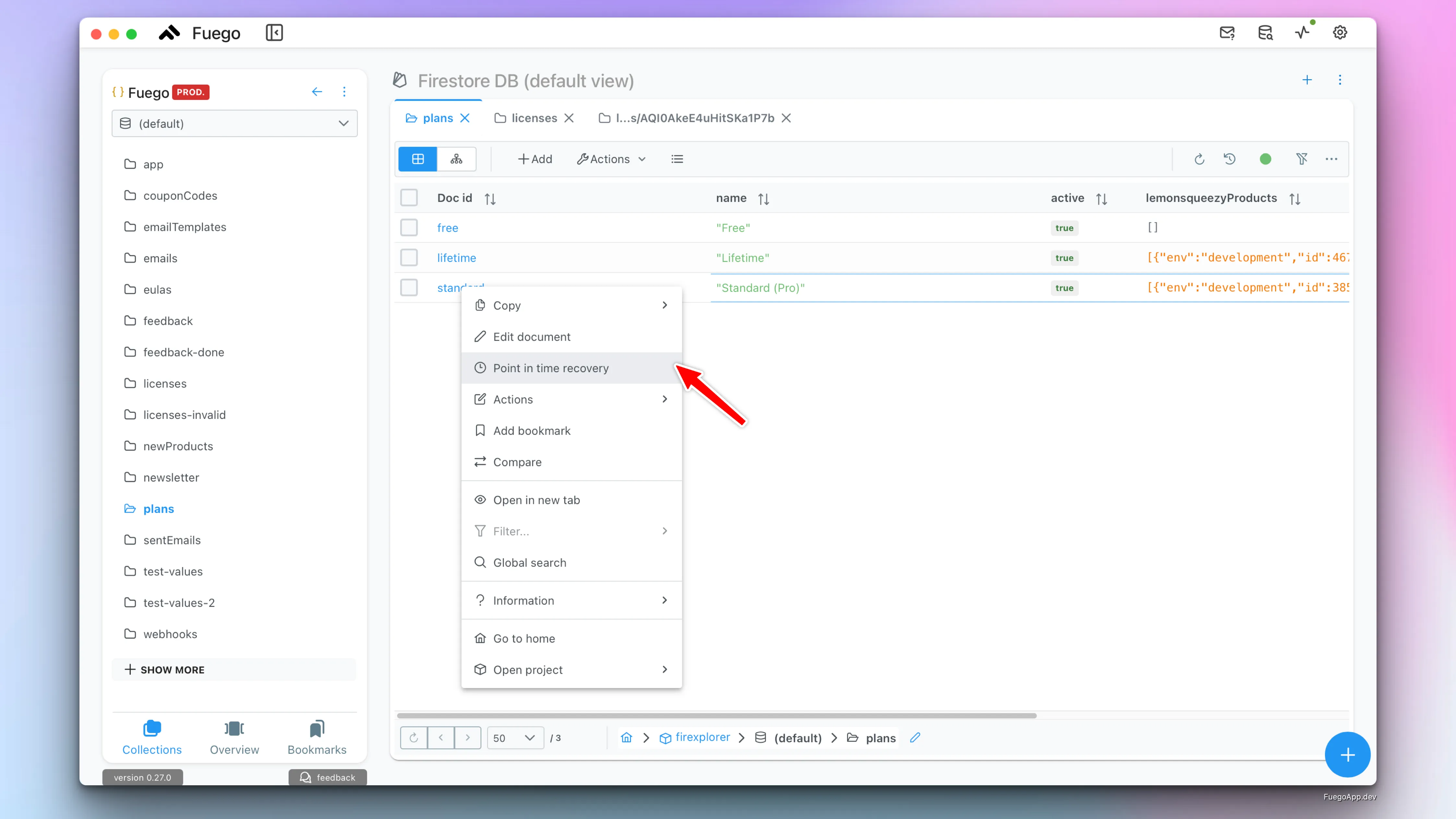
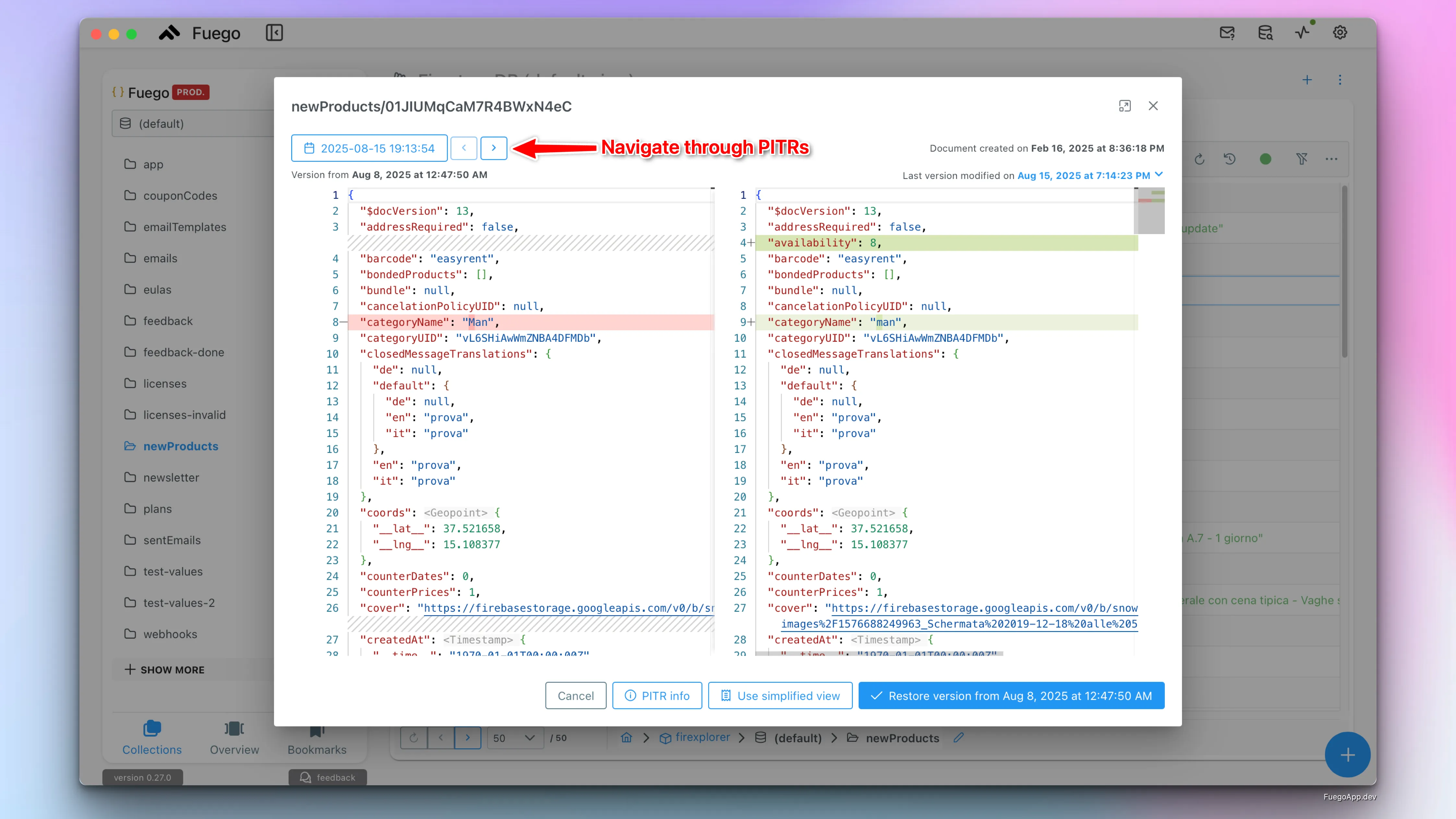
To recover a specific document, just right-click it and select PITR. You’ll see a full diff viewer that lets you:
- Navigate between PITR versions
- Inspect changes between versions side-by-side
- Restore the document with one click
This view uses a familiar editor experience (inspired by VS Code) to highlight what changed and when. You can confidently choose which version to restore without writing a single line of code.
2. Recover Multiple Documents with Read Time Queries
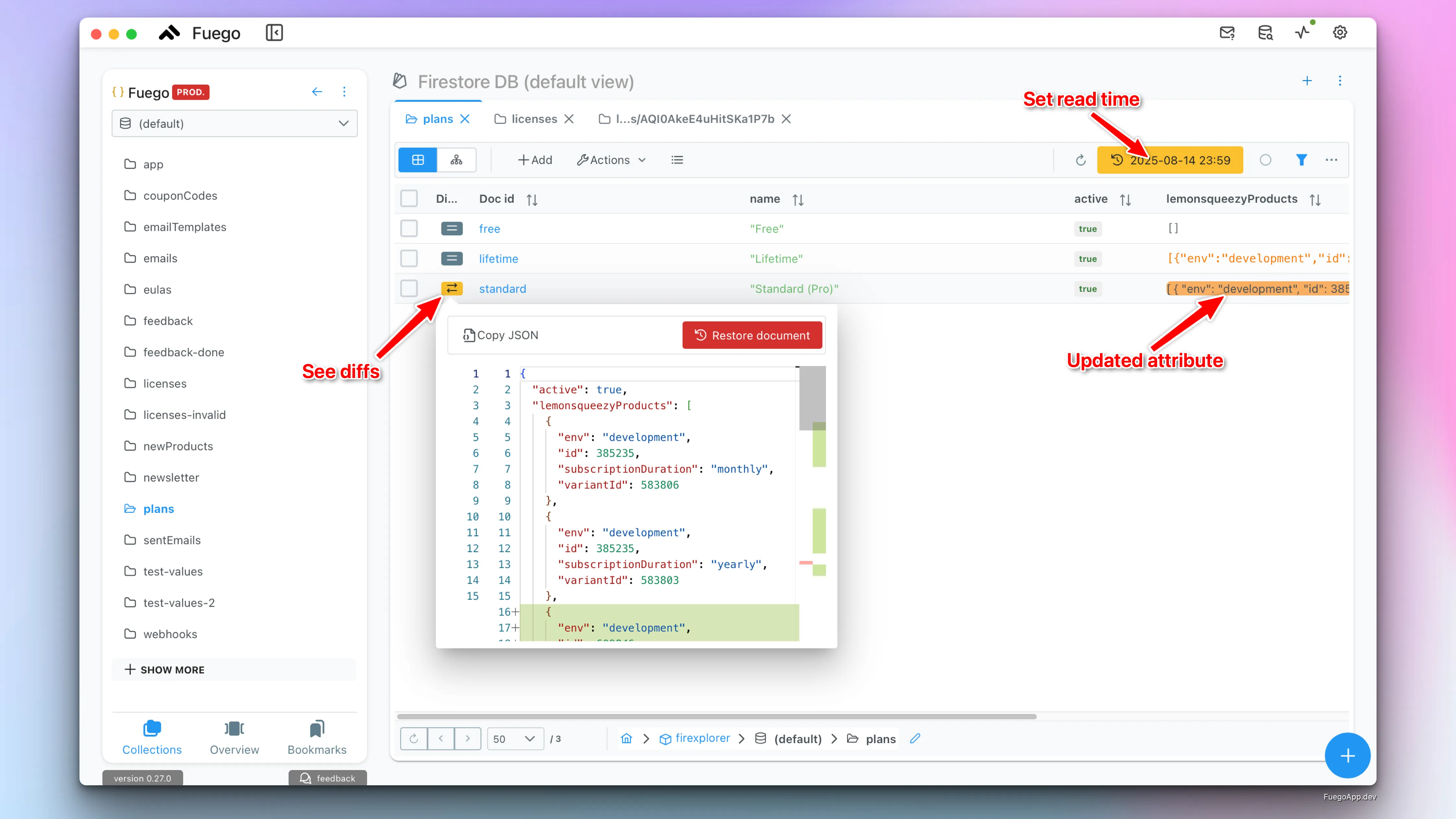
Fuego also supports PITR at scale using read time-based queries. Just set a read time using the clock icon in the toolbar, and Fuego will load documents as they were at that timestamp.
You can:
- Browse historical data like a live database snapshot
- Identify what changed (added, removed, or modified fields)
- Use “Load differences” to highlight changes directly in the table
If you decide to restore the results of the query:
- You can restore all documents to their previous versions
- Or manually select which documents and which version to bring back
🔔 Note: When restoring based on read time, documents that didn’t exist at that point in time are not modified.
✅ Summary: Why Use Fuego for PITR
| Feature | Firebase Console | Fuego UI |
|---|---|---|
| Browse document history | ❌ | ✅ |
| Visual diff between versions | ❌ | ✅ |
| Restore individual documents | ❌ | ✅ (1-click) |
| Restore multiple documents via query | ❌ | ✅ |
| See what changed at read time | ❌ | ✅ |
| No scripting required | N.A. | ✅ |
Fuego turns a complex CLI-driven recovery flow into a safe, visual experience that saves time and reduces risk.
If you rely on Firestore in production, integrating PITR into your workflow is a must—and using Fuego makes it easy.